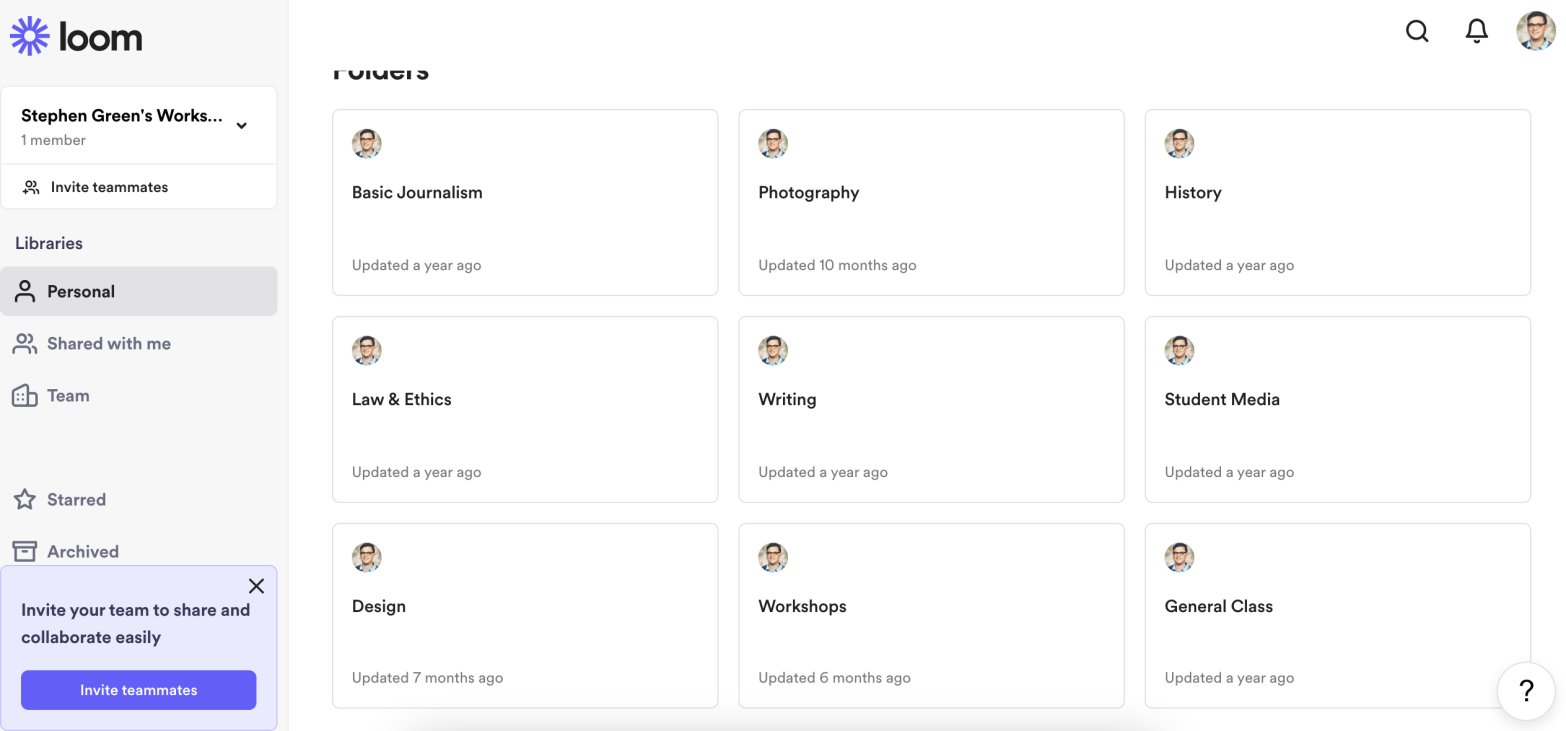
When the pandemic struck in early 2020, I was at a loss for how to teach students such a hands-on topic like journalism, design and photography. Someone, who is now lost to history, was wise enough to lead me onto Loom – a free screen recording software.
Loom has many other competitors in the screen recording world, but there is a few reasons I like Loom compared to others. First, it stores videos in the cloud and allows me to embed video links similarly to YouTube as I have done below. This is a tutorial on how to operate our school newspaper website I made for students new to adding social media elements to the website.
Additionally, Loom allows me to download actual video files if I need those, as well as lets me organize my videos into folders that helps when I’m looking to use tutorials on photo editing, writing, history of journalism, ethics, etc.
Students particularly have fun when they can react with emojis while watching the videos when they like, don’t understand, or otherwise have a reaction to something said in the video.
Another pro is the ability to record the screen and with my camera at the same time. I didn’t in the video above because there wasn’t a need. However, it is an option available, as well as making videos private when you don’t want the general public to see videos like when I show my Student Media staff how to log into the website.
This is also helpful when you need to demonstrate technology needs that is easier to show than type. For example, I used it to record a 15 second clip showing a student how to create a new folder in Google Drive. There was no editing, exporting or texting needed. Just record and send the link.
The downside is no editing. I can’t go back and edit the videos unless I download them, which becomes a burden if you are halfway through a video and goof up. You have to startover or do video editing later.
The lack of video editing is nice because it saves time, but doesn’t allow me to adjust audio levels, cut out unneeded parts, or splice in stills when it might be advantageous.
 Green's J-School